Writing in Markdown feels great. But when it's time to submit an assignment, a paper, or a report, the teacher / journal / client wants Word.
Just run it through Pandoc? Sure, it converts — but the resulting DOCX is rough: horizontal rules rendered as deprecated VML vector graphics, tables hugging the left margin, code blocks with no coloring, and some attributes that trigger Word compatibility warnings. Usable, but ugly.
That's why I built M2W.
What is M2W
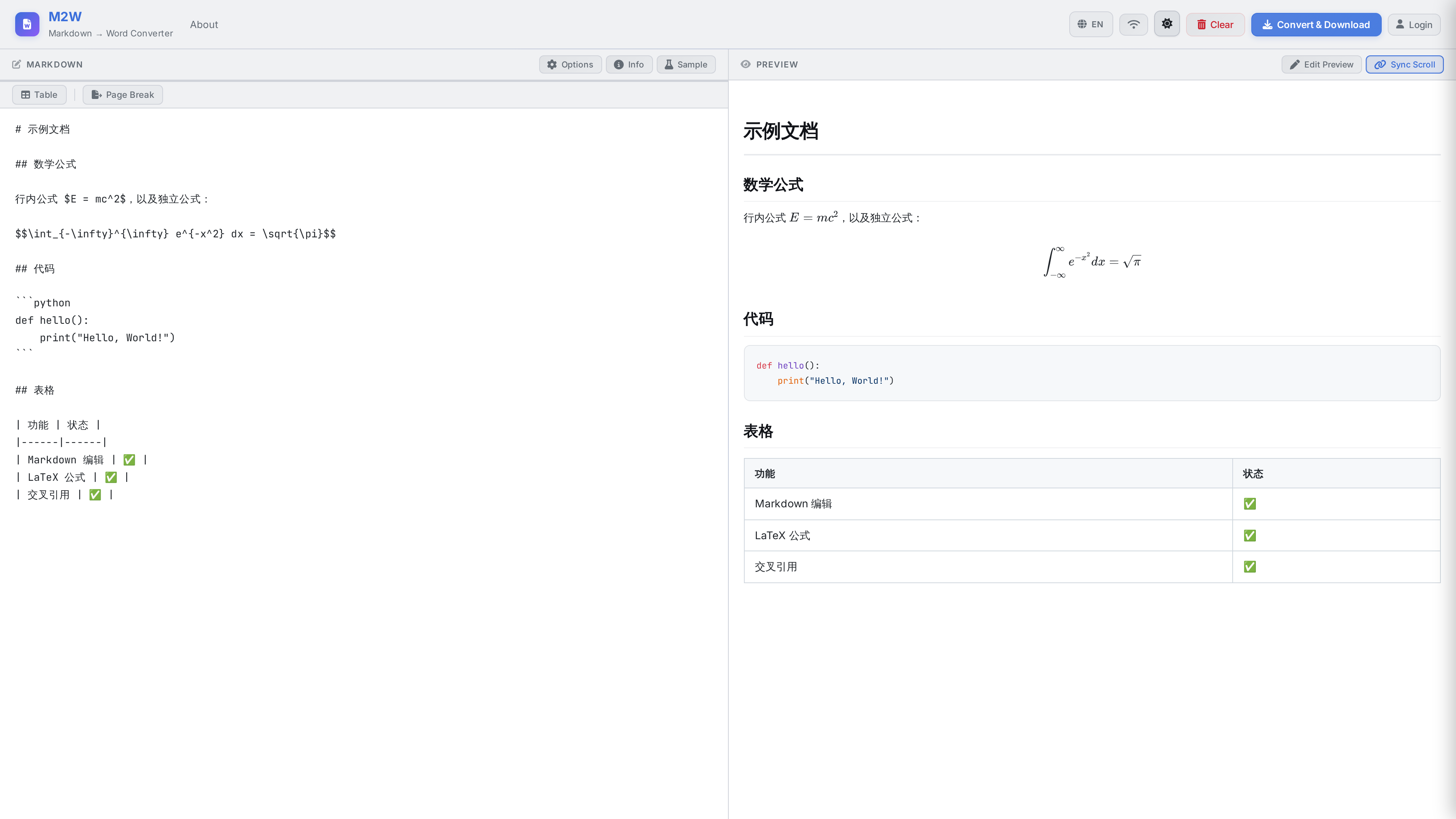
M2W (Markdown → Word) is a self-hosted online conversion service. Under the hood it's the Pandoc engine, wrapped in a carefully tuned DOCX post-processing layer. You write Markdown in the browser, see a live preview on the right, and download a polished .docx file with one click.
Try it live: md2doc.mrwuliu.top
What Problem It Solves
Pandoc is the Swiss Army knife of document conversion — powerful, but its raw DOCX output has several hard problems:
- Ugly horizontal rules — Pandoc uses the deprecated VML
<v:rect>vector graphics to draw horizontal rules, which render incorrectly in modern Word. - Tables aren't centered — Tables default to left-aligned, looking terrible in academic papers.
- No three-line tables — The standard "three-line table" for academic papers (thick top/bottom borders + thin border under the header row, no vertical lines) is beyond Pandoc's defaults.
- Code has no color — Code blocks export as plain gray-on-white with no syntax highlighting.
- Compatibility warnings — Some redundant OOXML attributes trigger Word's format validation warnings.
M2W runs an additional five-step OOXML post-processing pipeline after Pandoc finishes, solving all of the above in one pass.
Core Features
Real-time LaTeX Rendering
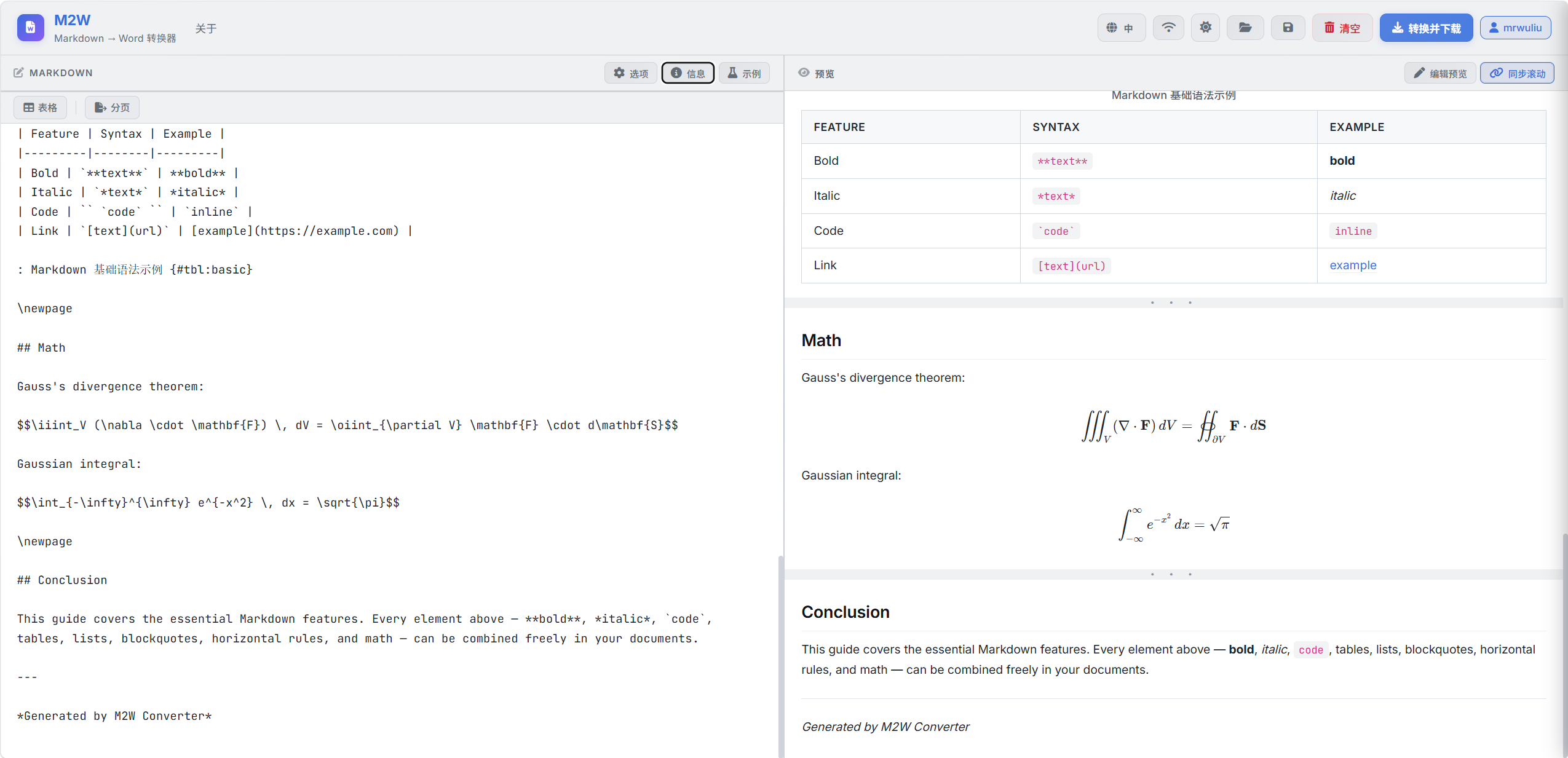
Write inline formulas like $E=mc^2$ or display-mode equation blocks — KaTeX renders them live in the editor, and the exported Word contains real LaTeX equations (not images). With pandoc-crossref, equations get automatic numbering, \eqref{} cross-referencing, and right-aligned numbers.
Dark / Light Themes
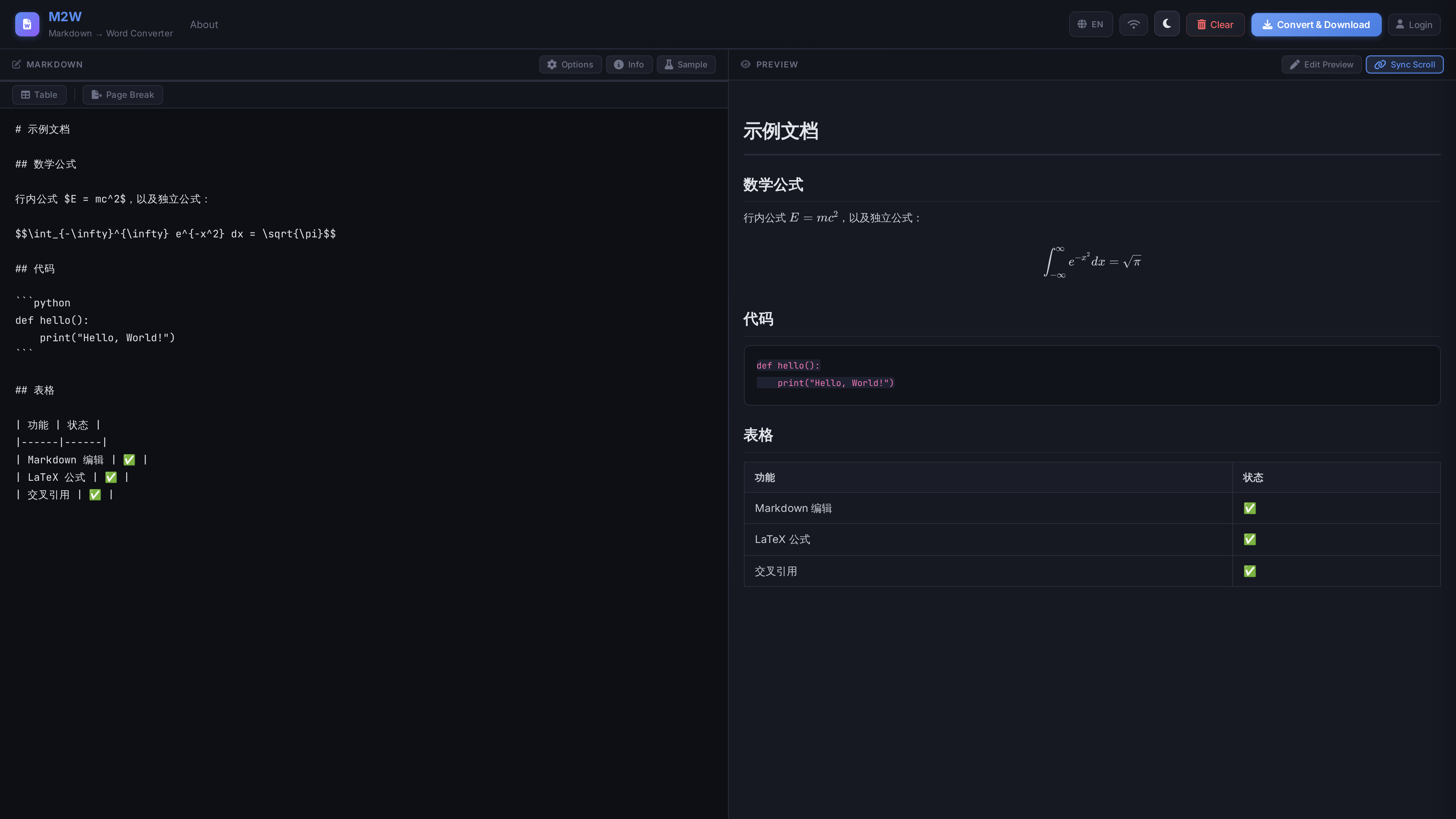
Both the editor and preview support dark, light, and system-follow themes. Your eyes will thank you during those late-night writing sessions.
The Output: What It Looks Like in Word
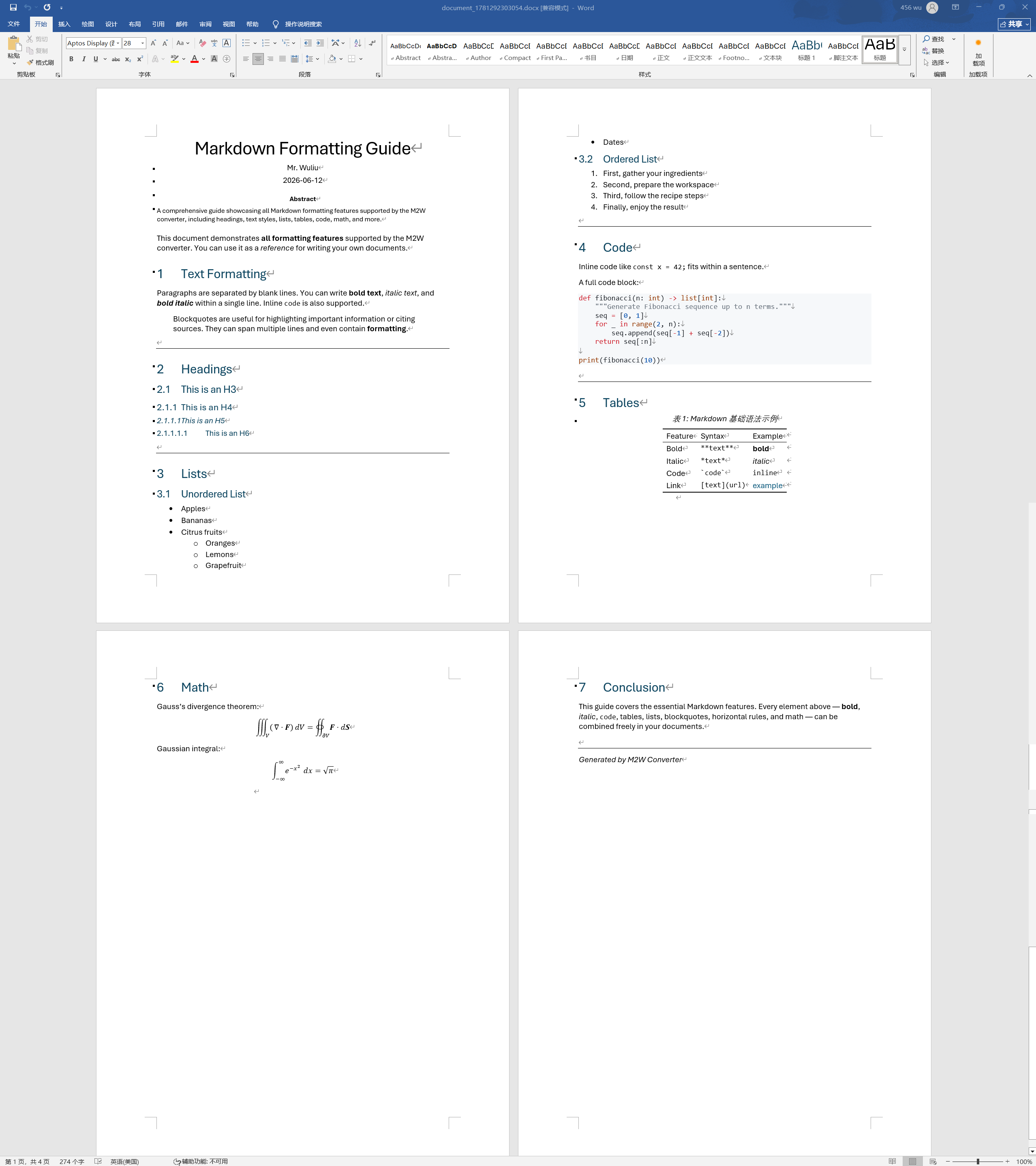
Here's the converted DOCX opened in Microsoft Word — clean heading hierarchy, body text, formulas, and code blocks.
Privacy Mode: Pandoc Runs in Your Browser
This is my favorite feature. Click "Offline Mode," and M2W loads a WebAssembly-compiled Pandoc (pandoc-wasm) that runs the entire conversion inside a Web Worker in your browser. Your document content never leaves your device, never touches any server.
Even better: the server-side five-step DOCX post-processing logic has been completely rewritten in JavaScript (using JSZip), so the offline-mode output is byte-for-byte identical to the server output.
More Features
- Live preview — Edit on the left, see instant rendering of headings, code highlighting, tables, and formulas on the right.
- Drag-and-drop import — Drop a
.mdfile onto the page and it loads automatically. - Page break control — Insert page breaks from the toolbar with one click for precise pagination.
- Cross-references — Powered by pandoc-crossref; figures, tables, and equations auto-number with adaptive i18n prefixes (Figure/Table/Equation).
- Bibliography — Upload CSL citation styles and BibTeX libraries to auto-generate academically-formatted reference lists.
- Custom templates — Upload a
.docxreference template; the output inherits the template's fonts, paragraph styles, and page layout.
The Five-Step DOCX Post-Processing: Making the Output Look Good
After Pandoc generates the DOCX, M2W doesn't just patch things here and there — it performs a complete "single-pass rewrite" of the OOXML. It unzips the DOCX (which is fundamentally a zip archive) and, in a single read / single write pass, executes five transforms in a fixed order:
- Horizontal rule fix — Replaces Pandoc's deprecated VML
<v:rect>with clean<w:pBdr>paragraph bottom borders. - Table centering — Injects
jc="center"into every table's<w:tblPr>. - Three-line tables — Applies the classic academic style: thick top/bottom borders (sz=12), thin border under the header row (sz=6), vertical centering, no internal vertical lines.
- Code coloring — Maps Pandoc's ~30 syntax token types to a GitHub Light palette (keywords
#CF222E, strings#0A3069, comments#6E7781…) with a#F6F8FAcode block background. - Compatibility cleanup — Strips redundant OOXML attributes that trigger Word validation warnings (
tblLook,cnfStyle,durableId, etc.).
The order matters — horizontal rule fixes must precede table processing, and code coloring must precede compatibility cleanup. One zip swap, all done — efficient and correct.
How to Use
Web UI (Simplest)
Open md2doc.mrwuliu.top, write Markdown in the editor, click convert, download the DOCX. No registration required — anonymous use works out of the box (rate-limited).
API
# Submit a conversion
curl -X POST https://md2doc.mrwuliu.top/api/ \
  -H "Content-Type: application/json" \
  -d '{"text": "# Hello\n\nWorld", "crossref": true}'

# Poll for status
curl https://md2doc.mrwuliu.top/api/task/{task_id}

# Download the result
curl https://md2doc.mrwuliu.top/api/task/{task_id}/download -o output.docx
The request body supports 24 fields covering Pandoc's main capabilities: TOC depth, section numbering, cross-reference prefixes, CSL/BibTeX citations, custom templates, attachment embedding, and more.
Final Thoughts
M2W started as a solution to my own pain point — thinking in Markdown but needing to deliver in Word. Pandoc could convert, but the output wasn't pretty; manually fixing formatting was exhausting. So I spent a few days wrapping Pandoc in a carefully tuned post-processing layer, added a browser-side offline mode, and polished it into a fully self-deployable service.
If you also bounce between Markdown and Word, give it a try: md2doc.mrwuliu.top

Login to Comment
You need to log in to leave a comment.
Login